Independent / Tabby
I’m a tabaholic, so I built Pinterest for browser tabs.
Tabby started as a tool I wanted for myself. I designed and built the whole product, from the name and brand to the web app and Chrome extension.
Visit Tabby 0→1 Product · Brand · UX · Development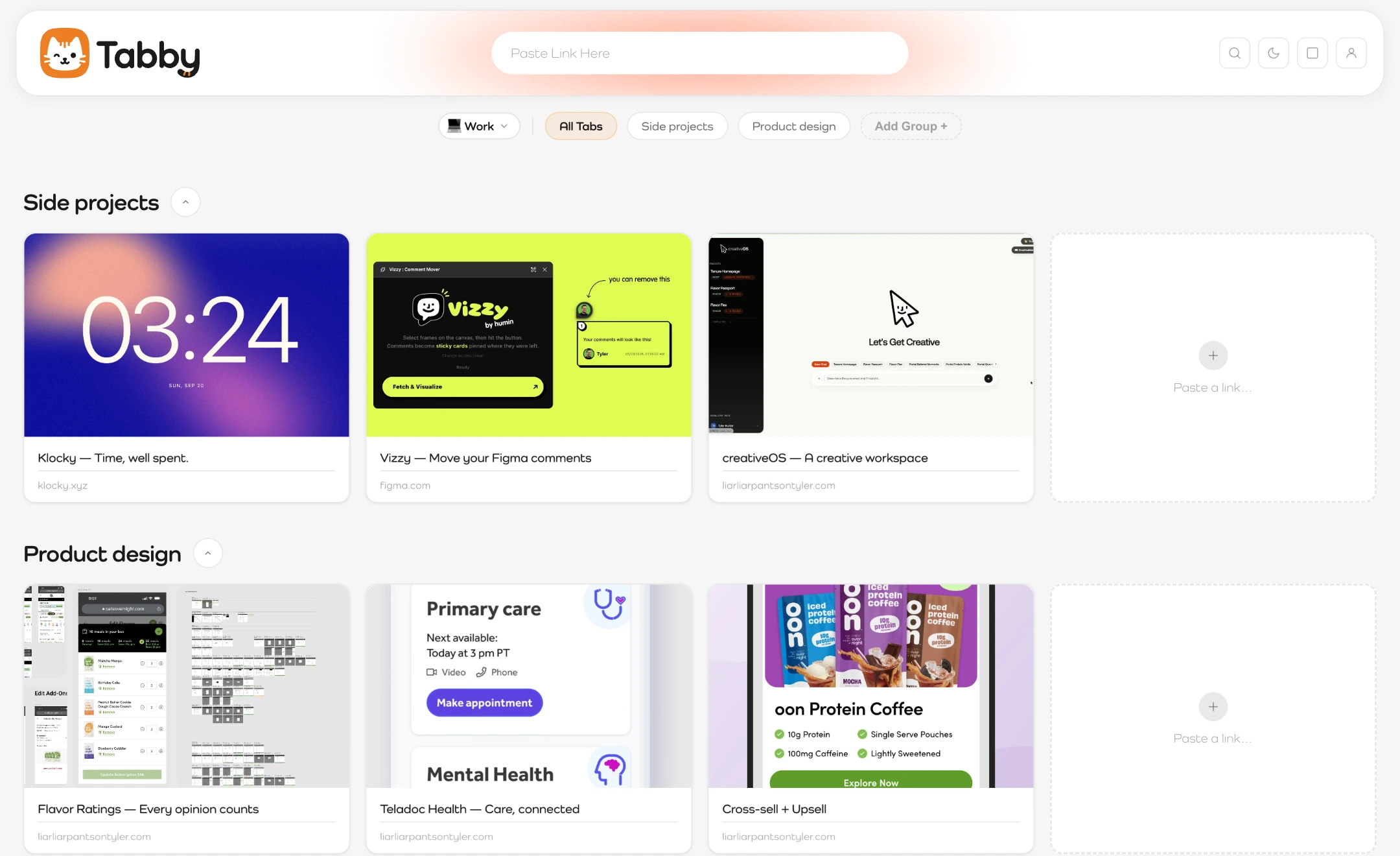
01 / A very personal problem
“I might need
that later.”
That’s how I end up with 70 tabs open. Some for weeks. Eventually I can’t find anything, and my computer feels it too.
Bookmarks felt like an archive. Tab groups still left everything open. I wanted a visual place for the things I was still thinking about.
02 / Pinterest, but for tabs
A place for each
part of my brain.
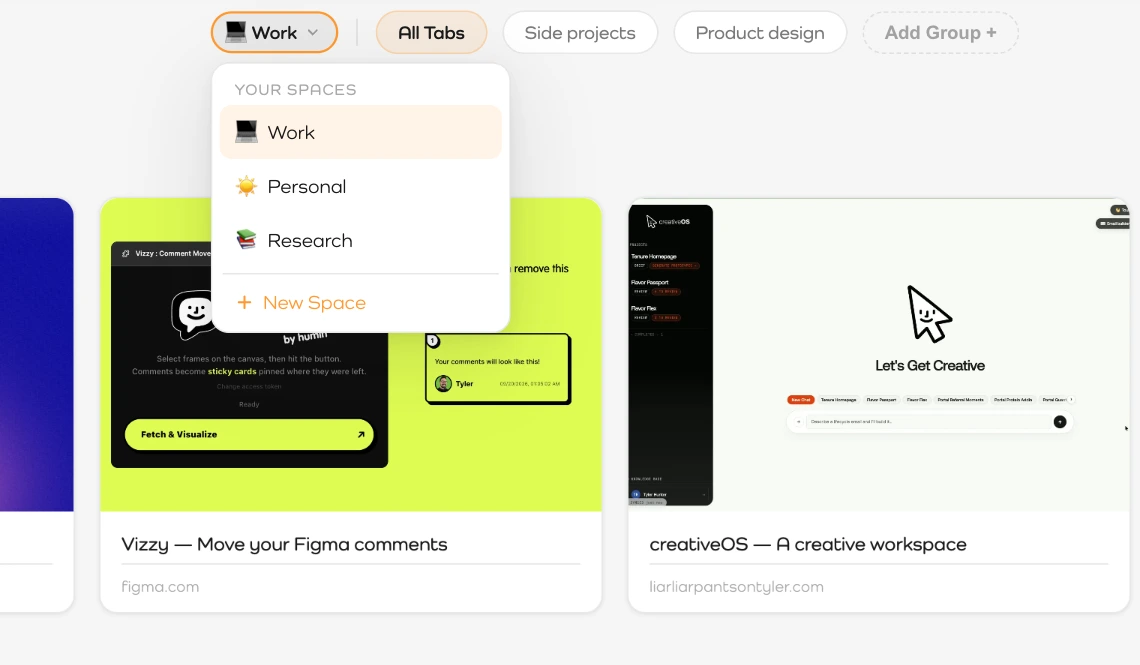
Spaces separate work, personal life, and research. Inside each space, groups and folders keep related tabs together. Visual previews give me something to recognize when I come back.
03 / Save it where you find it
The best place to save a tab?
The tab.
Copying URLs was one step too many. I built a Chrome extension: right-click a page, choose “Save to Tabby,” and give it a home. When the whole window gets out of hand, I can select and save multiple tabs together.
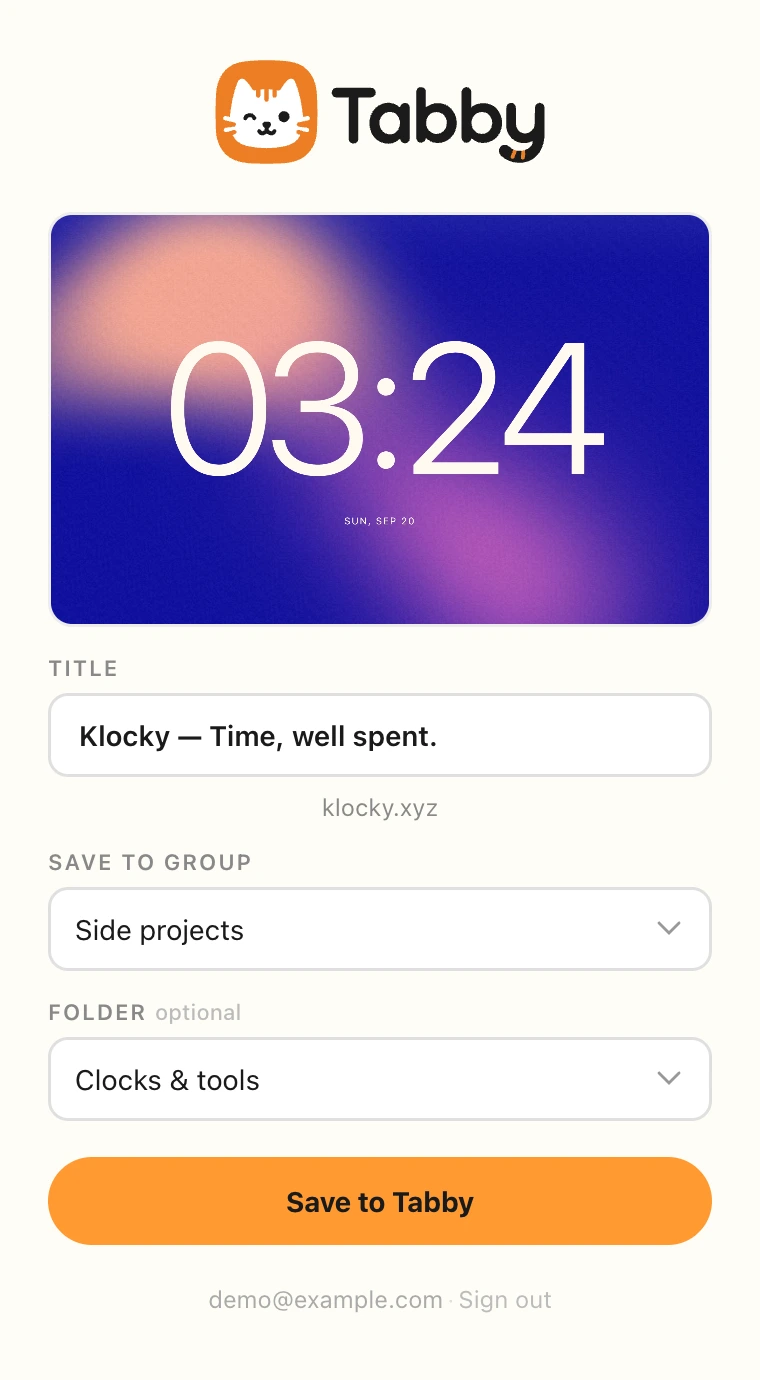
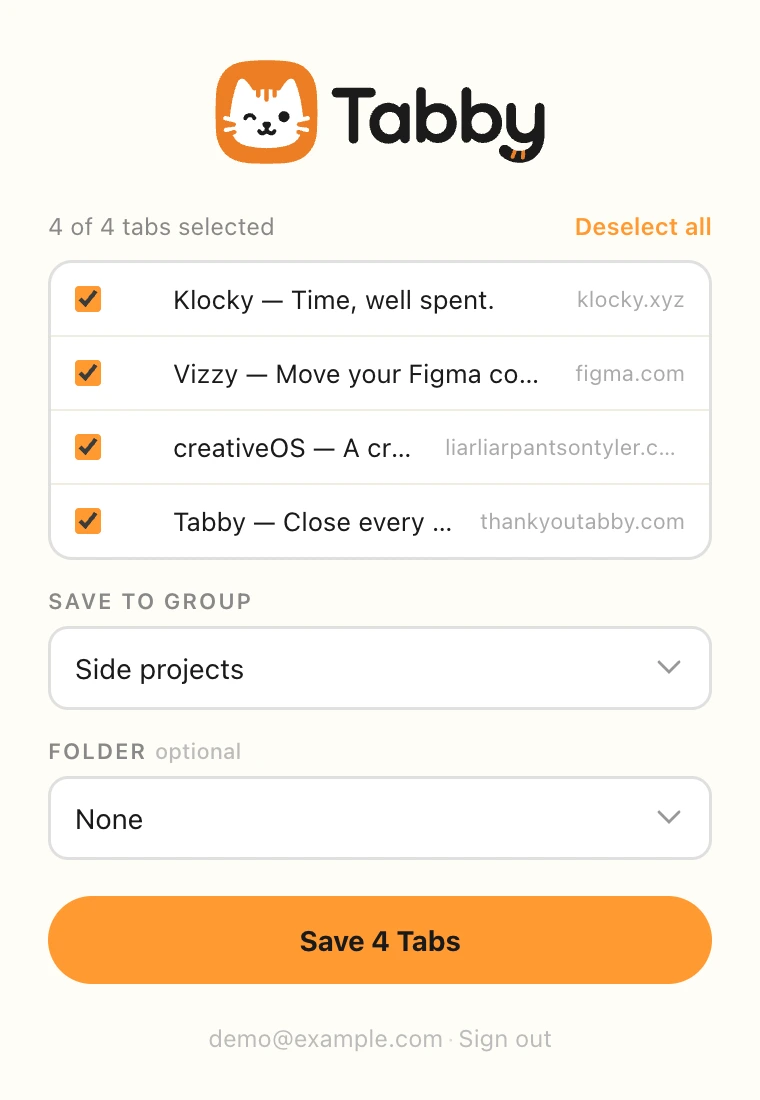
Actual extension UI, rendered locally with sample tabs.
When saving the current page, the extension can capture what’s actually on screen. A recognizable preview makes the tab easier to find later.
04 / A little personality
A tab habit.
A cat called Tabby.
I named it, designed its identity, and carried the warm orange, rounded forms, and playful character into the product. Something useful can have a little charm.
 Close every tab. Lose nothing.
From a personal problem to a working product
I wanted it.
So I made the whole thing.
I owned the concept, product strategy, naming, brand, UX, UI, development, Chrome extension, and launch.